
With the Page setting you can adjust the look and feel of the general pages created on your website. You can access the Page settings via Admin Dashboard > Appearance > Customize > Posts and Pages > Page.
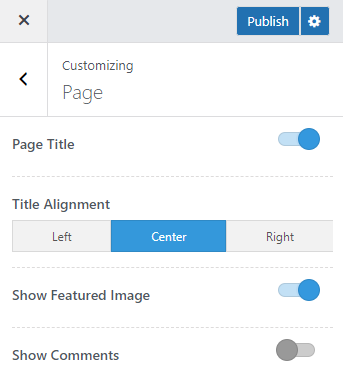
Page Title: Enable this option to display page title on the page header.
Title Alignment: Select the alignment for the page title.
Show Featured Image: Enable this option to display the featured image on the page content.
Show Comments: Enable this option to display comments and comment form on the site pages.